

How we built
Chacal’s site
Every choice we made, and why.
chacaloficial.comOne site for his whole career
Chacal is a Cuban artist from Havana, also credited as El Chacal. We built chacaloficial.com to hold everything about him in one place: his music, his story, his shows and his shop. It opens in Spanish, with English one click away.
On a computer
On a phone
- Why it mattersPeople look an artist up to hear a song, find the next show or follow along. All of it should be one tap away.
- The jobTell his story, put every release in one place, and send people to tickets and to the apps they already use.
- The testOpen chacaloficial.com on a phone. The first screen is his face, his name and where he is from.
A first screen that is just him
No slider and no wall of buttons. The first screen is his portrait, drawn in thousands of points, with one line: De La Habana al mundo, from Havana to the world. Move the mouse over it and the points step aside.
The first screen
In the first screen
- His portraitDrawn live by the browser, point by point, in black and white.
- One lineDe La Habana al mundo. Where he comes from, in five words.
- His nameCHACAL, as wide as the screen.
- A bar that staysThe pages, the language switch, and Escuchar, which opens his Spotify. It never hides.
From Havana to Miami, in every detail
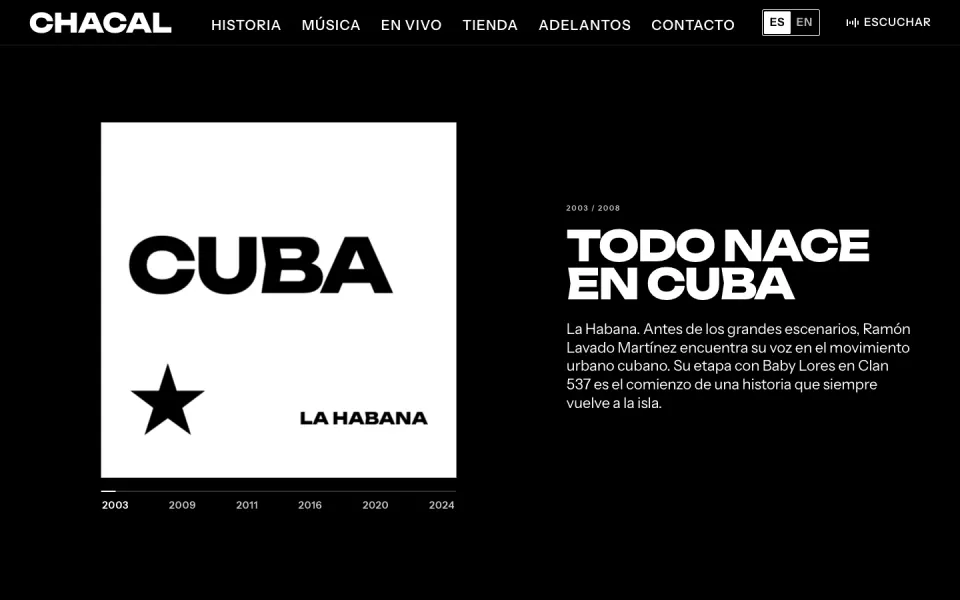
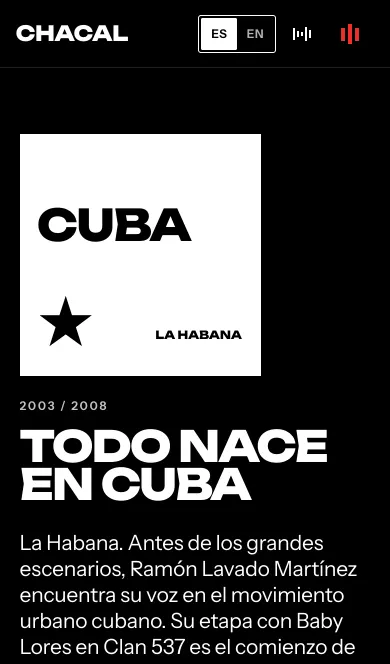
Chacal’s music started in La Habana and reached the nights of Miami, so the site carries both. His story opens with Todo nace en Cuba, everything starts in Cuba, and follows him to the Miami nights of his Chacal y Yakarta years. His photo archive ends on a crossing: La Habana, 370 km of the Straits of Florida, then Miami. As you scroll, black floods in from Havana’s side. The red comes from his own covers: we looked at 130 of them, and red leads the colored ones. And the site speaks Spanish first, because that is his language.
On a computer
On a phone
His story page unfolds as you scroll
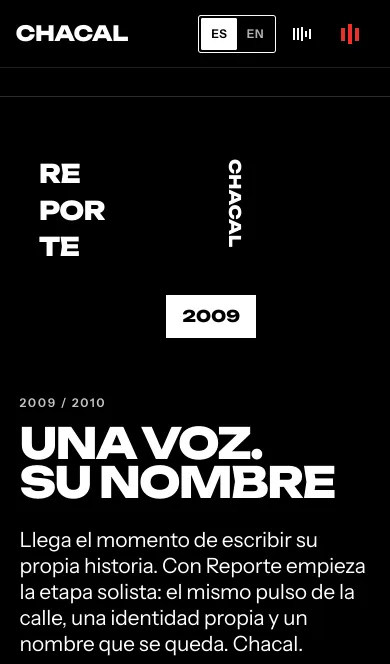
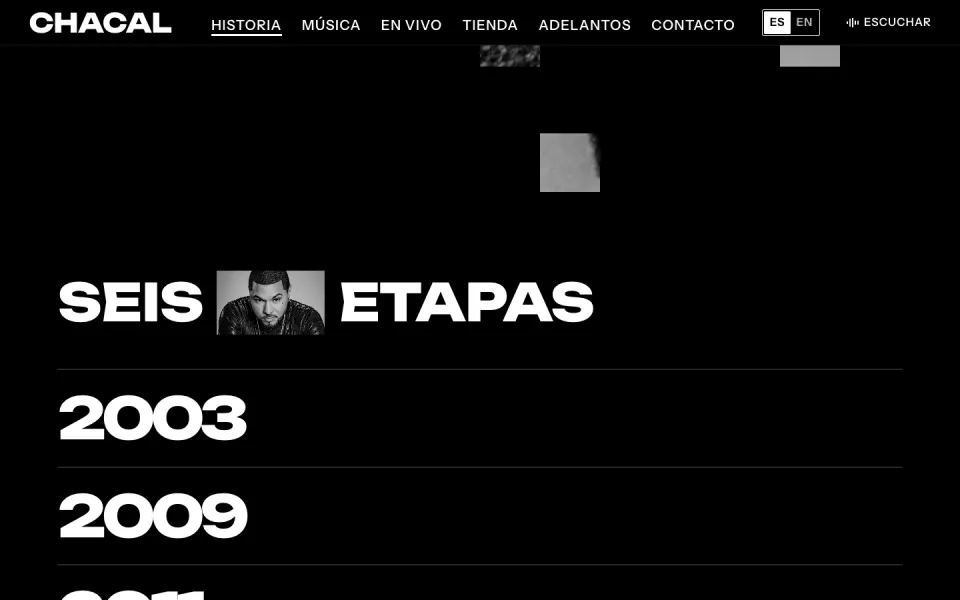
The story page opens on his photo set inside his name. Scroll, and the photo grows to fill the screen, then breaks apart square by square into the six eras of his career, from 2003 to 2024. Click a year and its chapter opens right under it: a cover, a few lines and the songs from that time.
On a computer
On a phone
His own words, each with its source
Further down the same page, part of his story is told in his own words. Every line carries its date and where he said it. Point at a year and its photo follows the pointer. Click it to read what happened, and the small red number takes you to the source. All 15 sources are listed at the end.
On a computer
On the story page
- Dated wordsWhat he said, when he said it, and where.
- Years you can openPoint at one to see its photo. Click to read it.
- A number on every factEach one jumps to its source.
- 15 sourcesNews sites, TV stations, Apple Music and his own posts, listed at the end.
Every record in a crate you flip through
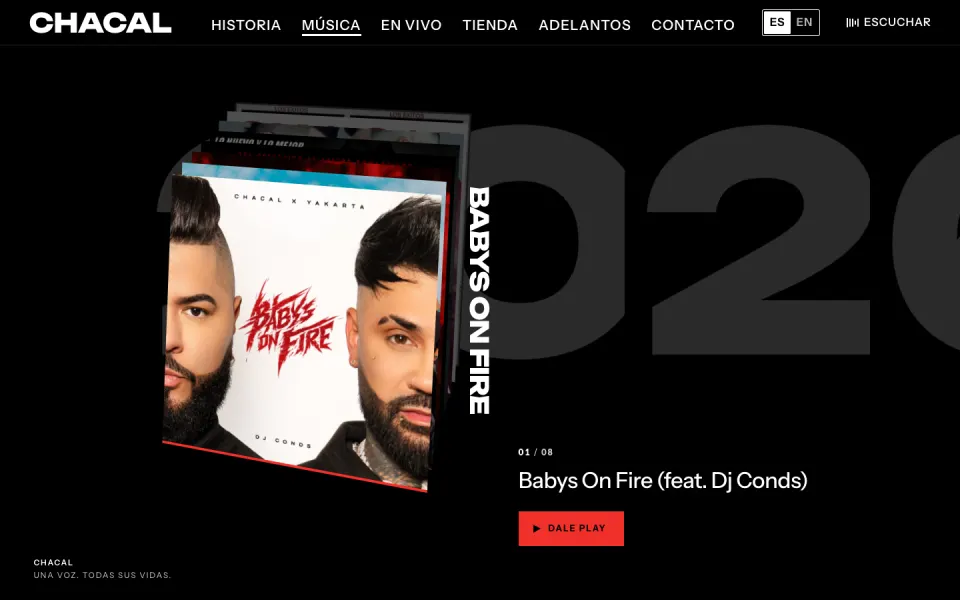
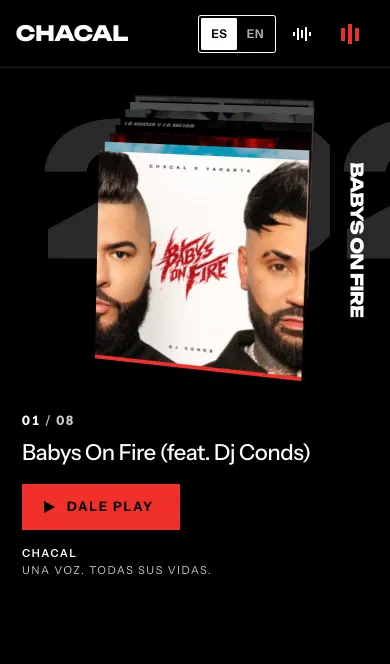
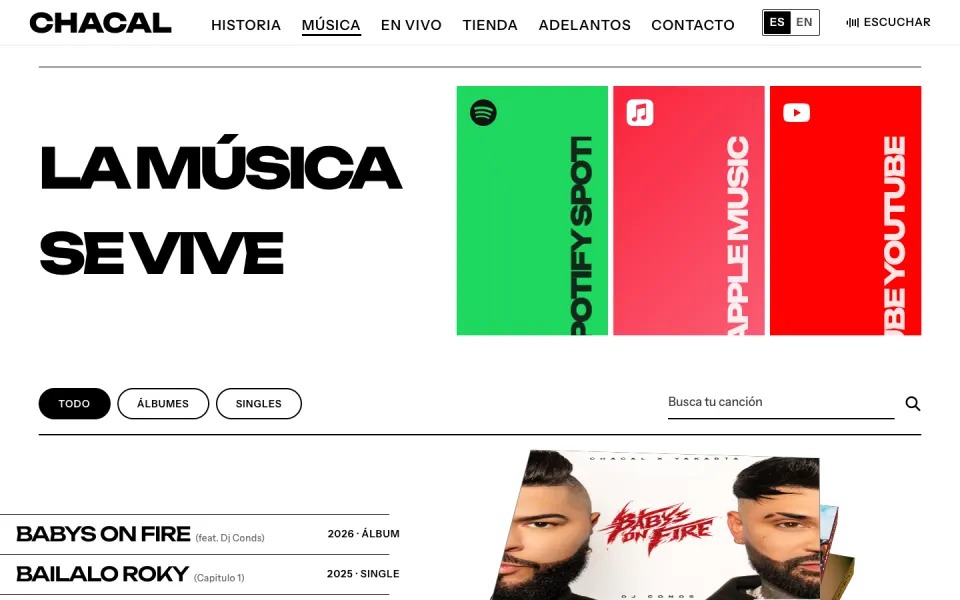
The music page opens on a crate of his records. Scroll, swipe or drag, and each one tips forward and falls away while the year rolls behind it. Under the crate sit all 25 releases in one list, from 2010 to today, each with a link to listen, and 18 of them with a 30-second preview. Beside the list, on a computer, each record case has a printed spine: the title and the label, taken from that release’s own copyright line on Apple Music.
On a computer
On a phone
Early access, behind a wall
The early access page plays a track on the other side of a wall. From the street it sounds muffled, because the wall keeps the high notes. Step up, open the door, and the song plays clear while its cover comes into focus. Inside is a sign-up to be let in next time. The sound stays off until the visitor turns it on. For now it is a demo: the track and the cover are placeholders, and the page says none of it is final.
On a computer
On a phone
From a show date to tickets in one tap
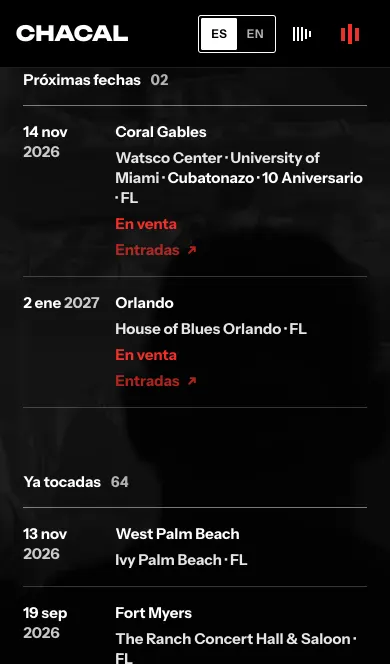
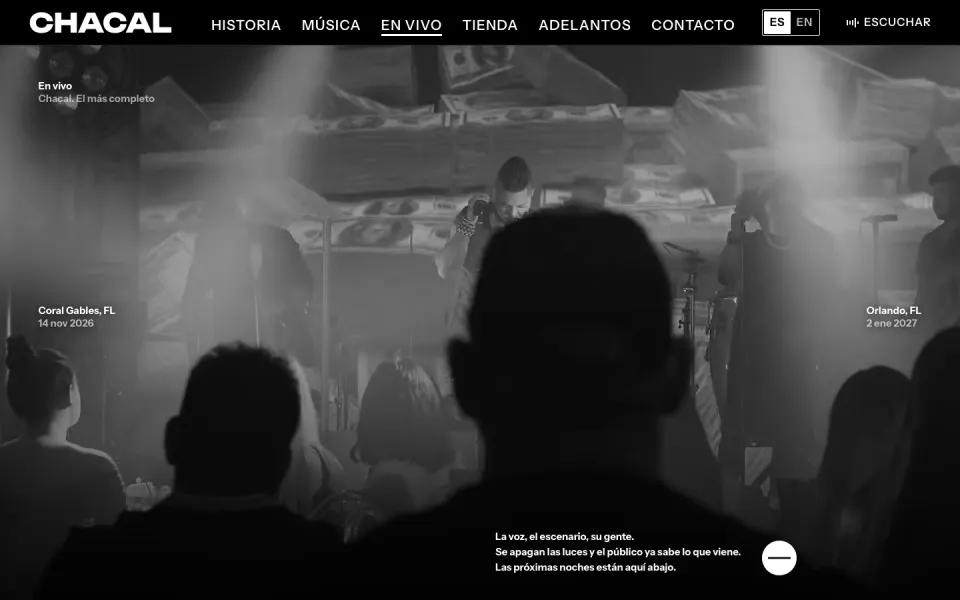
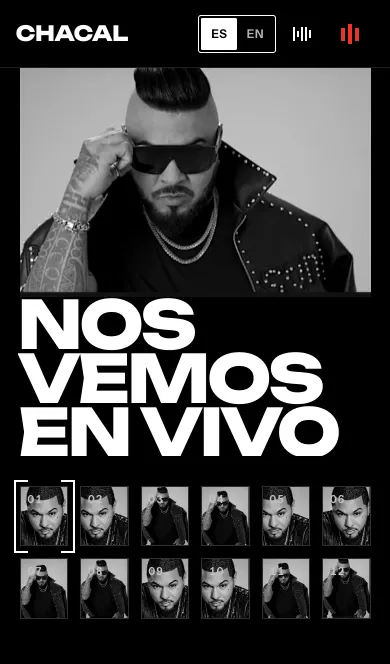
The live page puts the next dates first, each with the city, the venue and a button to buy tickets on Ticketmaster. Below them come the latest nights he played, with a link to the full list.
Buying tickets
On the live page
- Next dates firstDay, city and venue, easy to read at a glance.
- TicketsOne tap opens the ticket page on Ticketmaster, in a new tab.
- Past nightsThe latest shows he played, and a link to the full list.
- On the home page tooThe next date with tickets sits on the home page as well.
Spanish first, English one click away
The site opens in Spanish, his language. One click on EN and every line on the screen rolls into English, word by word, without reloading the page. One click on ES brings it back.
Switching languages
How it works
- Spanish firstEvery page, menu and button is written in Spanish first.
- English everywhereThe same pages, menus and buttons, in English.
- Words that rollThe old words slide up and out, the new ones rise in. You stay on the line you were reading.
A shop you browse like a playlist
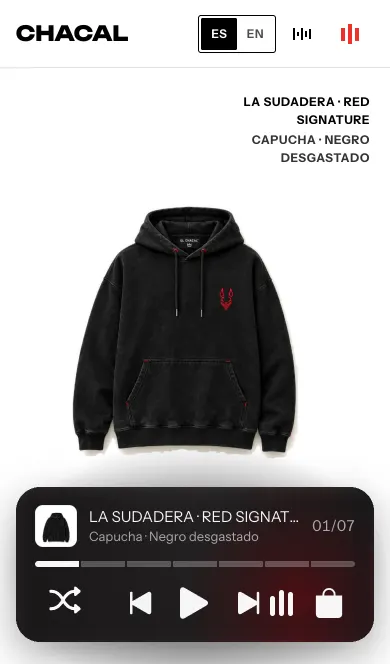
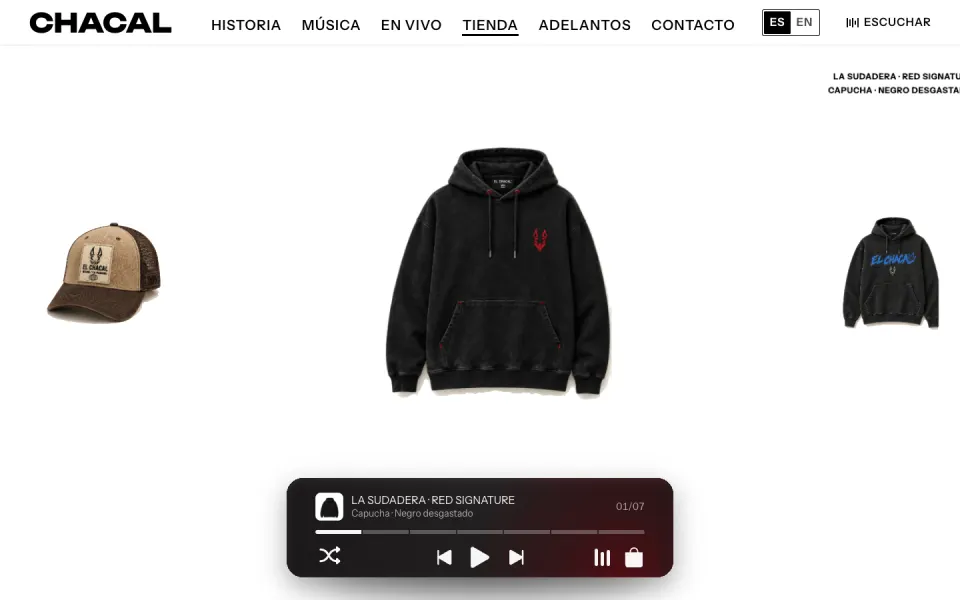
The shop shows the collection one piece at a time, with controls taken from a music player: back, next and shuffle. The pieces are concepts and nothing is for sale yet, and the shop says so plainly.
The shop
In the shop
- One piece at a timeBig, on white, with the next ones waiting at the sides.
- Player controlsBack, next and shuffle, like skipping songs.
- The whole collectionEvery piece below, sorted into hoodies, tees and caps.
- Honest about itConcept pieces, with the final details still to be confirmed. Nothing is sold yet.
Every piece gets its own page
Each piece in the shop has a page of its own. The front sits big in the middle and the back waits at the side. Click the back and it slides to the middle. The name, color and size sit on a card that looks like glass over the photo. There is no stock yet, so the button opens a short presale form right there: an email, and a phone number for anyone who wants a text.
On a computer
On a piece’s page
- Front and backClick either one to bring it to the middle.
- A glass cardName, color and size, with the photo showing through.
- Presale, not checkoutNo stock yet. The button opens a short sign-up under the sizes.
- The rest of the collectionMore pieces right under it.
A contact page you write on
The contact page is the message itself. Click and write, and the words come out big, cut out of his photo, with a counter up to 1,000 characters. Under the message, pick who it is for: shows, his career or press. The addresses are still being confirmed, so for now the page says it does not send yet and points to his Instagram.
On a computer
On the contact page
- The message firstNo long form. What you write, who it is for, and an email to reply to.
- Big wordsWhat you write appears at headline size, filled with his photo.
- Three ways inShows, his career or press.
- Honest about itIt says it does not send yet, and points to his Instagram meanwhile.
Every page change has a curtain
Click a page and eight panels drop over the screen like a curtain, then lift on the next page. They carry something from where you are going: TIENDA, one letter per panel, for the shop, his stage photo for his story, and one of his records for the music page. On a phone, the menu is a list of words, each with a photo inside it.
On a computer
On a phone
Every button reacts to you
Every button, link and photo on the site answers the moment you touch it. There are 56 of these small reactions, from the shop’s player bar to the dominoes in the footer. On a computer, things lift under the pointer and spring back when you click. On a phone there is no pointer, so a held finger gets the answer instead: a row gives under the thumb, a year opens its photo. Each one tells you the tap landed.
On a computer, up close
On a phone
A footer made of dominoes
At the bottom of every page, the menu is a hand of dominoes, one tile for each page. Dominoes are the table game of Cuban streets and of Miami’s Little Havana, so the menu is a real hand: the tiles chain like a played game and close back on the 6 they opened with. The tile for the page you are on is turned over, black with white dots. Point at a tile and it tips up. Below the tiles: twelve places to listen to him and follow him, booking, and the legal pages.
On a computer
On a phone
What we built for Chacal
One home for his music, his story and his shows, in two languages.